
Disclosure: As an Amazon Associate I earn from qualifying purchases. How this site works
TV Antenna Setup Guide
A careful setup often matters more than the antenna itself.
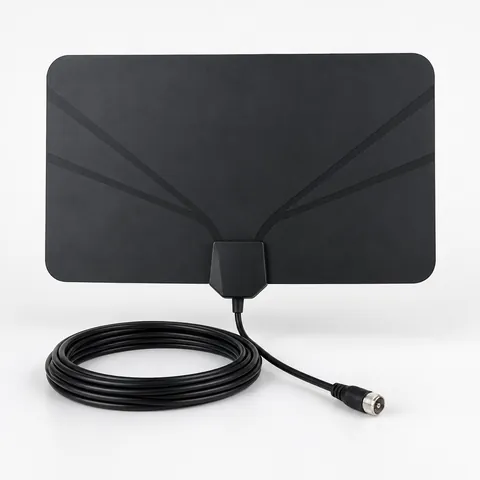 Attic TV antennas
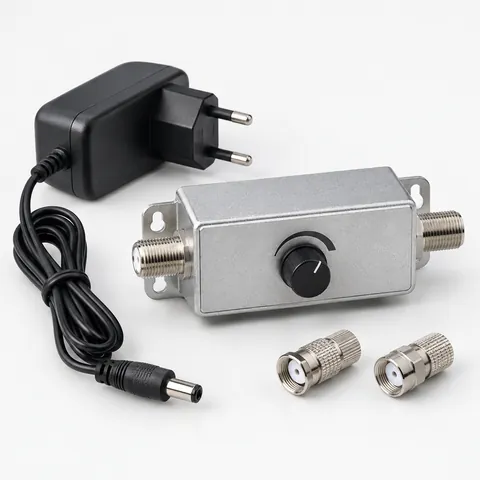 TV signal amplifiers
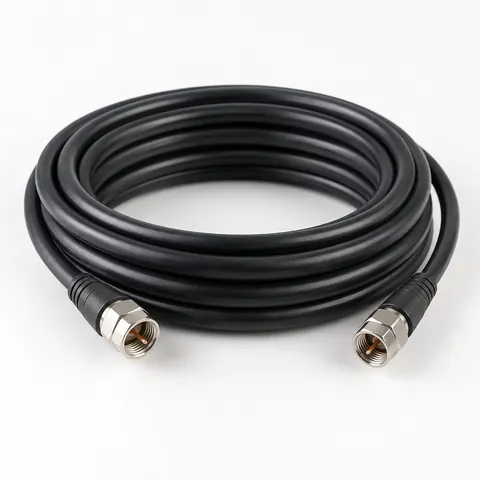 RG6 coax cable
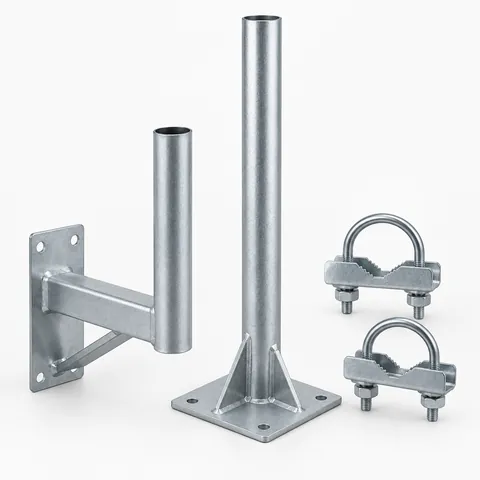 Antenna mounts and masts
Steps
- Check your reception map.
- Place the antenna high and facing the towers.
- Connect with RG6 coax to the TV’s antenna input.
- Choose “Antenna” or “Air” as the TV source.
- Run a channel scan.
- Adjust and rescan until you get the channels you expect.
Troubleshooting
- Pixelation: weak signal — raise or reposition the antenna.
- Channels disappear at certain times: interference or weather; try a different spot.
- Too many ghost channels, others missing: possible overload — remove or turn down an amplifier.
- New channels announced locally: rescan.
See amplifiers with adjustable gain.
How to read a TV antenna reception map before you move anything
A reception map is most useful when you treat it as a setup plan, not a promise. Look up your address and note three things for each station you care about: distance, compass direction, and band. Distance helps you decide how aggressive the installation needs to be. Direction tells you where the antenna should face. Band matters because some antennas are better on UHF, some handle VHF, and some do both.
- If the major stations are all in one direction, start with a directional setup aimed at that cluster.
- If stations are split in two directions, try the stronger cluster first, then test whether the off-axis stations still come in.
- If one must-have station is VHF while the others are UHF, make sure your antenna supports the needed VHF range instead of relying only on a flat UHF-style design.
- If towers are close but reception is still poor, look for local blockage such as buildings, hills, metal roofing, foil-backed insulation, or dense trees.
- If several stations are listed as weak or edge-of-range, plan for height, a clean cable run, and careful aiming before adding an amplifier.
For compass aiming, use the map direction as a starting point, then fine-tune by signal quality on the TV or tuner. A perfect compass heading is not always the best final position because reflections from nearby objects can make a slightly different angle work better.
Best places to put an indoor, attic, or outdoor TV antenna
The best location is usually the one with the clearest path toward the broadcast towers and the least metal nearby. Height helps, but a high location behind a metal obstruction can perform worse than a lower window facing the towers. Test before you permanently mount or hide cables.
| Location | When it makes sense | Setup notes |
|---|---|---|
| Indoor window | You are close to towers or have strong signals | Try the window facing the towers first. Keep the antenna away from metal blinds, large appliances, and thick masonry. |
| High interior wall | A window is unavailable or points the wrong way | Use painter’s tape for temporary tests. Move in small steps and rescan after major changes. |
| Attic | Indoor reception is unstable but you want a protected install | Watch for radiant barrier, metal roofing, ducts, and wiring. An attic antenna often needs careful aiming because attic materials can weaken or reflect signals. |
| Outdoor mast or roof edge | Signals are weak, blocked, or far away | Use a secure antenna mount and keep the antenna clear of rooflines when possible. Follow grounding and weatherproofing requirements. |
Do not assume the first channel scan tells the full story. An antenna can be inches away from a much better location, especially indoors. Before drilling holes, test at several heights and orientations while keeping notes on which channels are stable.
How to point a TV antenna and fine-tune signal quality
Pointing is easiest when you work slowly and change only one thing at a time. Many TVs show a signal meter under channel setup, manual tuning, diagnostics, or antenna settings. If your TV has both strength and quality readings, quality is usually the more important number because it reflects whether the TV can decode the broadcast cleanly.
- Pick one important channel from the tower group you want to receive.
- Aim the antenna at the map’s compass direction for that station or tower cluster.
- Run a scan so the TV can add the channel.
- Open the TV’s signal meter for that channel if available.
- Rotate the antenna in small increments, then wait a few seconds for the meter and picture to settle.
- Stop at the position with the most stable quality, not just the highest brief reading.
- Check your other must-have channels before tightening the mount or taping the cable in place.
For flat indoor antennas, test both sides if the design allows it, and try vertical as well as horizontal placement. For directional outdoor antennas, avoid over-tightening until you have checked several nearby angles. If stations are in different directions, a compromise aim may work better than pointing exactly at one tower and losing another.
Cable, splitters, and amplifiers: setup details that affect reception
Antenna problems are not always caused by the antenna. Long cable runs, old coax, loose connectors, extra splitters, and unnecessary amplifiers can all reduce reliability. Use RG6 coax for new runs because it is the standard choice for TV antenna installations and handles longer paths better than older, thinner cable types. If you are replacing questionable cable, choose RG6 coax cable with solid connectors and enough length to avoid tight bends.
- Keep coax runs as short as practical, but do not stretch the cable or kink it.
- Remove unused splitters during testing. Each split reduces available signal.
- Hand-tighten coax connectors, then add a small extra turn with a wrench only if needed. Do not crush the fitting.
- Use weather-rated connections outdoors and keep water from running down the cable into the house.
- If one TV works but another does not, swap cables or TV locations to separate a reception problem from a wiring problem.
An amplifier can help when the signal is usable at the antenna but gets weaker because of a long cable run or splitter. It will not create a clean signal from noise, and too much gain can overload a TV tuner. If you use an amplifier, an adjustable model is easier to tune because you can reduce gain when nearby strong stations cause missing channels or unstable scans.
When and how to rescan for channels
A rescan tells the TV to rebuild its channel list. It does not improve the signal by itself, but it is necessary after antenna changes because the TV may not store a station unless it can detect it during the scan. Rescan after moving the antenna, changing cable or splitters, adding or removing an amplifier, or when a local station changes its broadcast assignment.
If your TV offers both an add-channel scan and a full scan, use a full scan after a major setup change. Add-channel scans can be useful when you are trying to keep existing channels while checking for one new station, but some TVs handle this differently. If the channel list becomes messy or duplicates appear, clear the list if your TV allows it, then run a fresh full scan.
When reception is inconsistent, scan during normal conditions, not during a storm or unusual interference. A scan done during a bad reception period may miss channels that usually work. After the scan, tune to each important channel for a few minutes to confirm it is stable, because a channel can appear in the list even if it is not reliable enough to watch.
Frequently asked questions
Why does my antenna get fewer channels after I moved it higher?
Higher is often better, but it is not automatic. The new spot may be behind metal, facing a different obstruction, or picking up stronger reflections that confuse the tuner. Move the antenna a few feet at a time and compare signal quality, not just height.
Do I need to rescan every time I adjust the antenna?
You should rescan after a meaningful move, a direction change, or any wiring change. For small aiming tweaks, use the TV’s signal meter if available, then rescan once you settle on the best position. This saves time and avoids chasing scan results caused by temporary reception changes.
Can one TV antenna feed multiple TVs?
Yes, but splitting the signal reduces what reaches each TV. Test the antenna on one TV first, then add the splitter and compare results. If channels disappear only after splitting, you may need a better cable layout, fewer splits, or carefully adjusted amplification.
Why do some channels show up in a scan but break up when I watch them?
The TV may have detected the channel briefly during the scan even though the signal is not stable enough for viewing. Check the station’s signal quality meter if your TV has one, then try a better location, cleaner aim, or fewer splitters. Weather, trees, and nearby electronics can also make a marginal channel come and go.
Should my antenna be vertical or horizontal?
Start with the orientation recommended by the antenna maker, then test. Many broadcast TV setups use horizontal elements, but indoor designs and reflected signals can behave differently in a real room. If reception is weak, trying a different orientation is a quick, free check before buying anything.
Disclosure: As an Amazon Associate I earn from qualifying purchases. This site may earn a commission when you buy through its links, at no extra cost to you. Product details come from public manufacturer information; always check the merchant page for current specifications and prices. We have not hands-on tested the products described here.